

Teaching a language model to stop thinking out loud
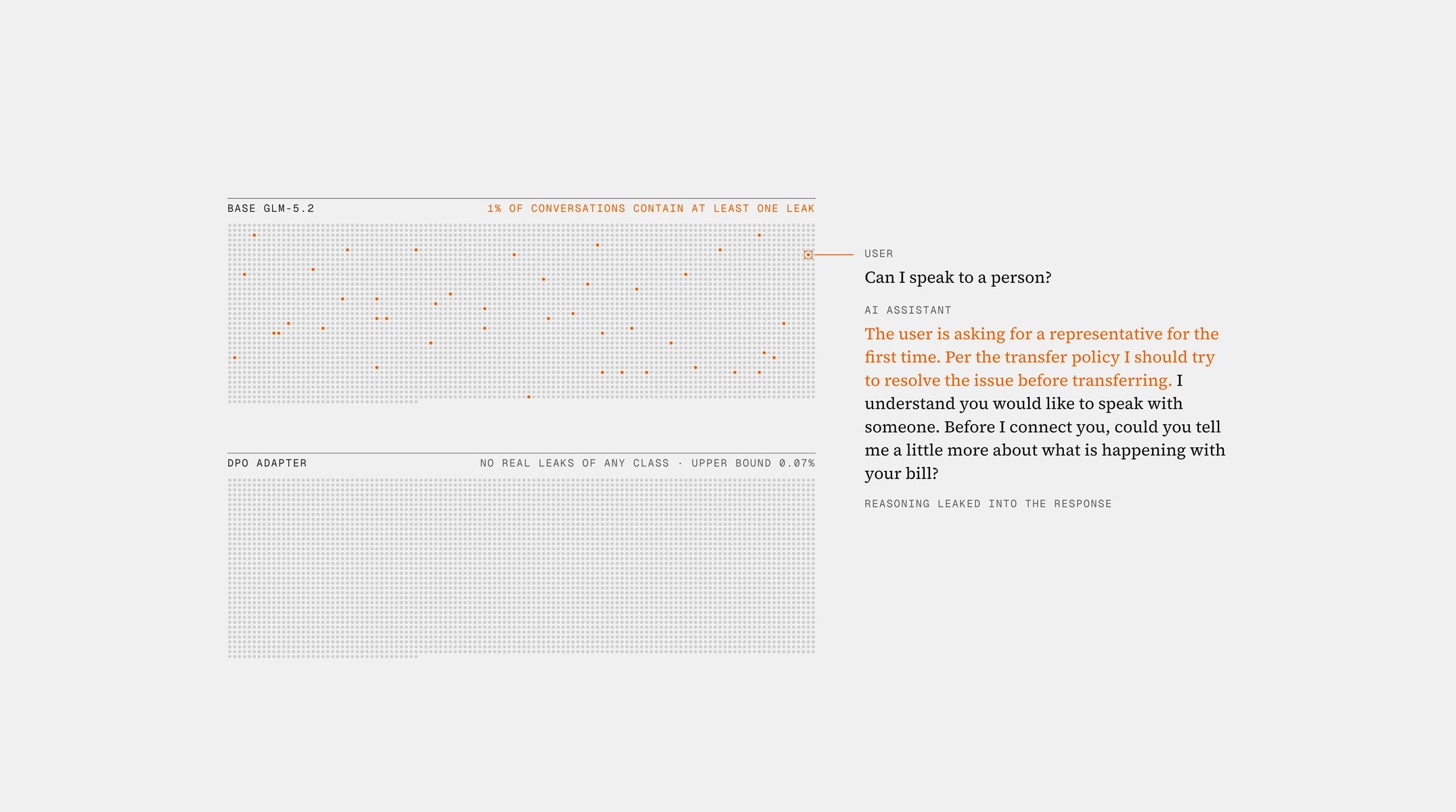
In non-reasoning mode, GLM-5.2 was leaking its reasoning into the AI assistant’s response in about one conversation in a hundred.
Projector-only vision for a production support agent
We gave our production LLM (a fine-tuned GLM-5.2 checkpoint) the ability to read images by training a 49.5M-parameter projector and two marker embeddings, nothing else. Every LLM weight is byte-identical before and after, so text-only behaviour cannot regress. One epoch over ~167k curated records (≈ 32 h on 8×B200) took held-out loss from 0.50 to 0.22, reads one-time codes out of screenshots 98–100% of the time, and on our production checks beats both the generic projector it started from and a frontier API model.
Customers send images in support chats all the time: a photo of a damaged item, a screenshot of a one-time code, a receipt, an error page. Our text agent needed to see them. The obvious move, fine-tuning the LLM on image-text data, was unattractive because the text model is production-tuned: it has been DPO-trained for our reply style and tool-calling behaviour, and any change to its weights means re-running the entire text evaluation suite and accepting regression risk on the 95% of traffic that has no image at all.
So we used the oldest recipe in the multimodal playbook (frozen LLM, frozen vision encoder, trainable projector) and pushed on the two things that recipe usually leaves under-specified: what data you feed it and how you check that it generalizes.
Grey blocks are frozen, orange blocks are trained. Everything the image contributes to the reply goes through the projector and the two marker rows.
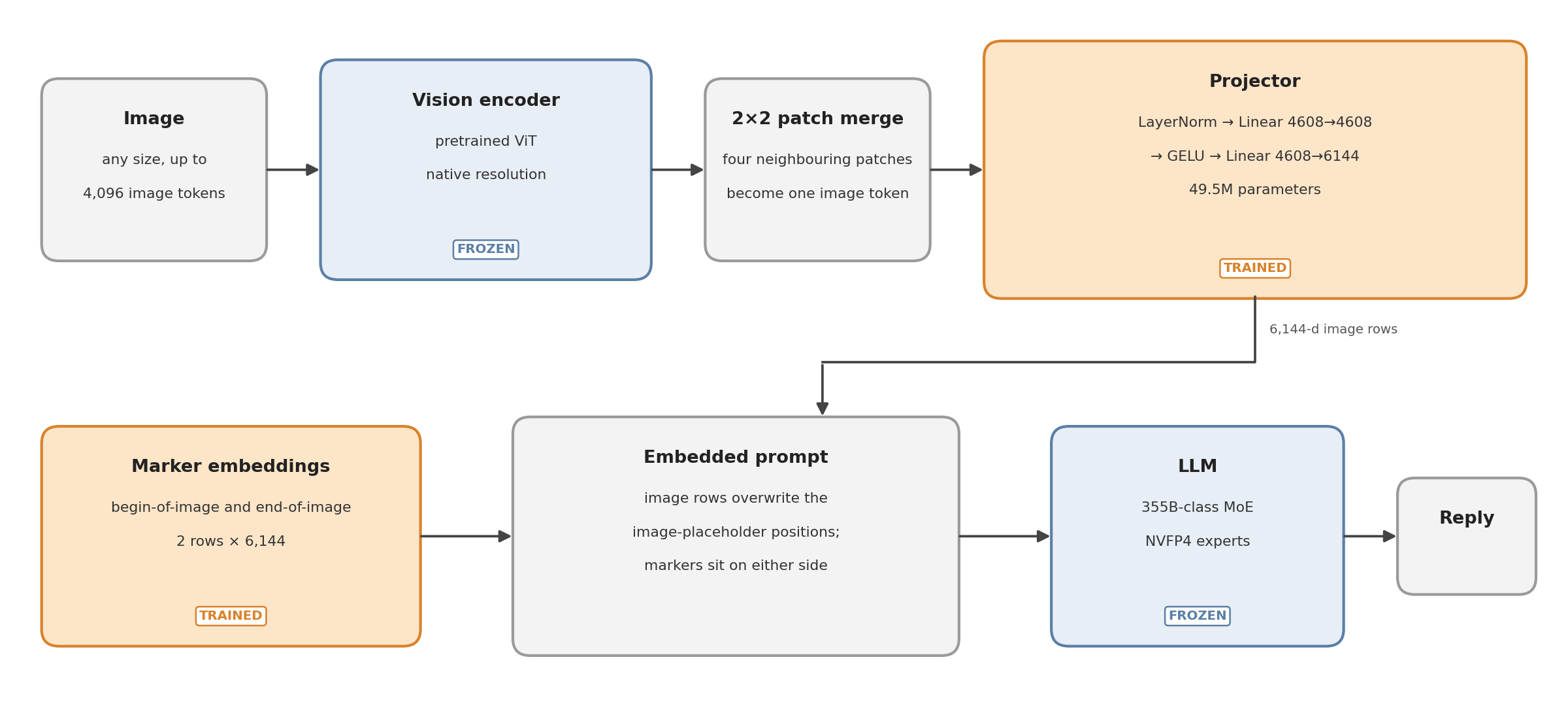
Vision encoder. A pretrained vision transformer (~27 layers, 1152-d) that handles images at their native resolution. The encoder cuts the image into a grid of patches, and a 2×2 merge then combines every four neighbouring patches into one image token. An 810×1080 photo becomes about 1,131 image tokens, and a full phone screenshot at our default cap becomes about 3,800. We run it frozen and in bf16, the same dtype the serving stack uses, so the projector trains on exactly the feature distribution it will see at inference.
Projector. A two-layer MLP: LayerNorm → Linear (4608→4608) → GELU → Linear (4608→6144, the LLM’s hidden size). 49.5M parameters, kept in fp32 during training. This is the only substantial thing that learns.
Where the image goes. The chat template inserts one placeholder token per image patch at the position where the image sits in the user turn, and wraps that block of placeholders in two marker tokens: a begin-of-image token in front of it and an end-of-image token after it. After the LLM’s embedding layer runs, the projector’s output rows overwrite the placeholder rows. The two markers are ordinary vocabulary entries, so what the LLM sees at those positions is whatever their embedding rows hold. In the generic checkpoint we started from, those two rows were essentially zero (unused slots in the vocabulary), so the model received no signal for where an image starts or ends. We made the two rows trainable alongside the projector, and they learned to act as explicit start and end signals. Two rows of 6,144 numbers is a tiny addition, but it is what tells the frozen model where the image sits in the prompt.
LLM. Frozen, including the quantized experts. Production calls the model with thinking disabled, so we train and serve the vision model with thinking disabled as well.
| Setting | Value | Why |
|---|---|---|
| Trainable | projector (49.5M) + 2 marker rows | LLM, vision tower and lm_head frozen |
| Optimizer | AdamW, weight decay 0, grad clip 1.0 | separate param groups for projector and markers |
| Learning rate | 1e-3 for the projector and 5e-4 for the markers; a 3% linear warm-up, then cosine decay from the peak down to one tenth of it by the end of the epoch | the projector is small and starts from the generic projector rather than from random weights; a high LR converges in one epoch |
| Batch | 64 records per step ≈ 83k tokens | micro-batches of 16 records, pipeline-parallel across 8 GPUs |
| Schedule | 1 epoch = 2,615 steps, uniform sampling | set shares are controlled by record counts, not by sampling weights |
| Image-token cap | random per record from the set’s list (e.g. captions 400 or 576; screenshots 1024 or 2048; agent chats 1024 to 4096) | lets the serving cap be chosen after training instead of baked in |
| Precision | tower bf16 · projector fp32 · LLM bf16 with NVFP4 experts | train on the served dtype; no global TF32 |
| Hardware | 8×B200, 8-way pipeline parallel | 40.5 s per step, 2,059 tokens/s, 114 GB peak on rank 0 |
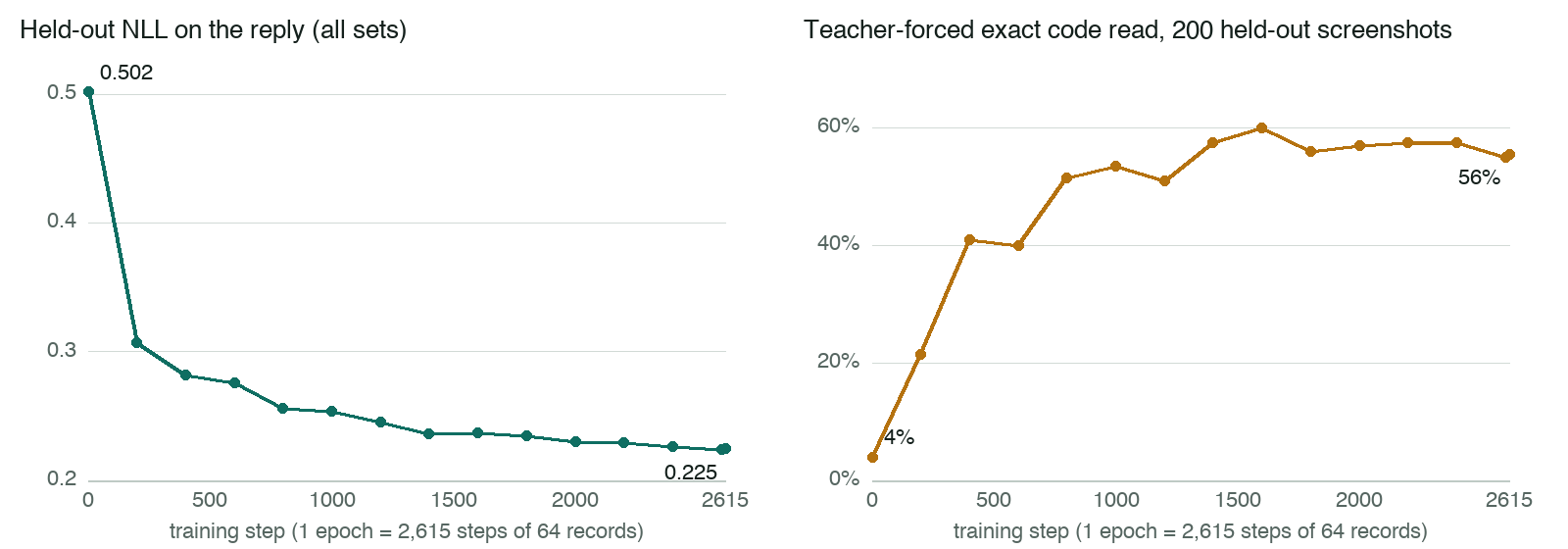
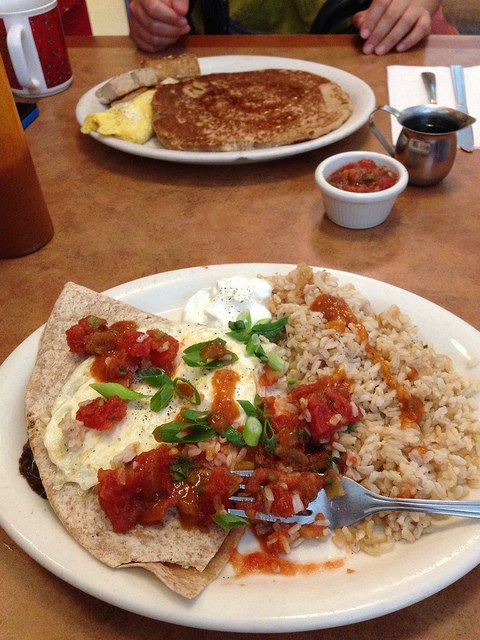
We tracked held-out next-token loss on the reply (64 records from each of the 11 sets) by step, alongside a cheap stand-in for the production task that we could score at every checkpoint. On 200 held-out code screenshots we feed the model the reference reply and check whether its most likely next token at every digit of the code is the correct digit; a screenshot counts only if every digit is right. It is not free generation, but it costs seconds per checkpoint, and it let us watch the production skill during training rather than after it.
Held-out NLL fell monotonically (0.502 at initialization, 0.307 after 200 steps, 0.2245 at the end of the epoch) and the last checkpoint was the best. The 10% test split, scored once at the end, came in at 0.263. Wall-clock: 31.9 hours of 8×B200 in two segments, zero restarts.
64 records from each of 11 sets
0.502 → 0.2245
Training step
Teacher-forced · 200 held-out screenshots
4% → 56%
Training step
The single most important thing we learned is that a projector does not only learn what is in the image; it learns what the model does when an image appears. If every training image comes with one caption, the projector learns to trigger a description whenever an image shows up, no matter what the user asked. Every rule below follows from that.
| Class | Records | What the user turn looks like | What the target looks like |
|---|---|---|---|
| A · Perception QA | 96.7k | a question about the image; multiple-choice; yes/no about presence; counting; rendered-scene reasoning | short, format-controlled answer; half of the presence questions are adversarial negatives |
| B · Reading text | 49.8k | read-to-answer questions on photos with text; screenshots asked for the code / whether there is one / which is newest / who sent it / which app; receipts and portal pages asked for a field; real scans asked for a transcription | the answer, the field value, or a line-by-line transcription from ground truth |
| C · Product condition | 6.3k | “Is this damaged?”, “What’s wrong with it?”, “What is this?”, “What colour is it?” | yes/no plus the defect in one clause; type and colour from the listing |
| D · Description | 30.0k | one of ~58 describe-style prompts | the ground-truth caption |
| E · Agent conversations | 27.5k | a support agent’s full system prompt, tool schemas and 2–6 prior turns, then an image (photo, code screenshot, error page, blank) with or without text; plus the twins | the frozen LLM’s own reply given a text stand-in; later turns copied from the no-image twin |
Each example below is a real training record: the user turn, where marks the image position, and the exact target. Each source image is available with its record. The screenshots, receipts and portal pages are our own renders. Open an image to inspect the original at full size.
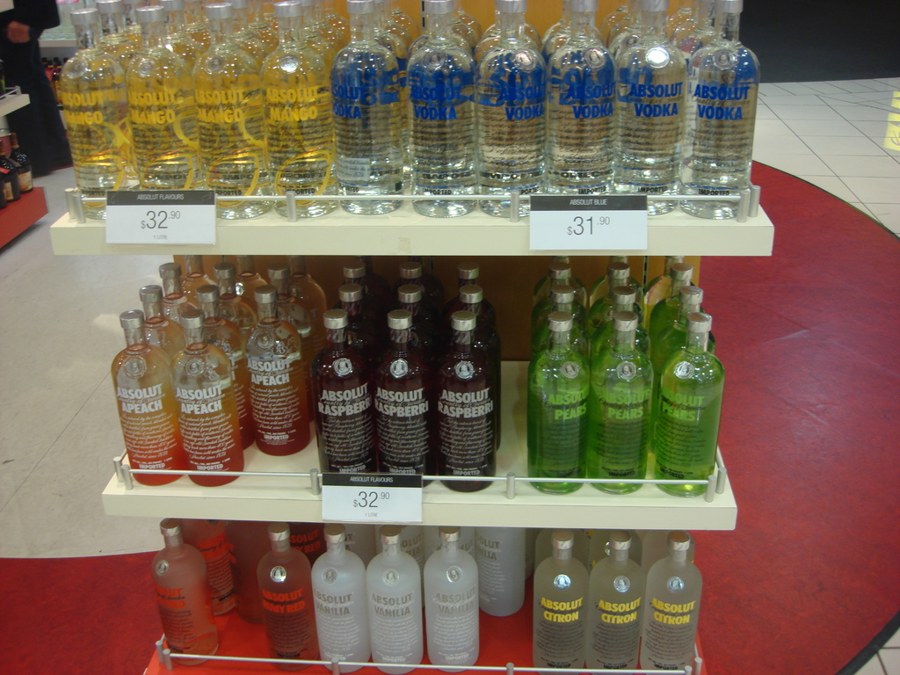
The absent noun is drawn from objects that usually appear with what is present, so “No” cannot be guessed from the scene type.

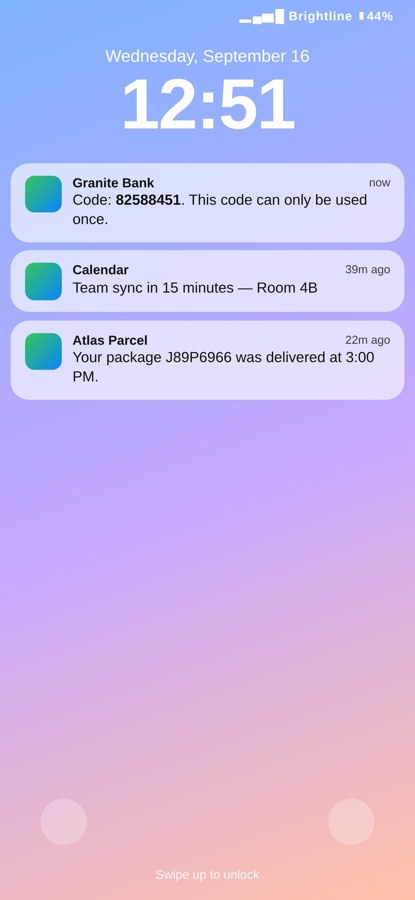
One of the main production cases in this class is the one-time code. The same screenshot is asked for its code, whether it has one at all, which of several is the newest, who sent it, and what app it is from: five different targets for one image.
The same render family also asks “Is there a code here?” on renders that have none; the target is a plain “No”.
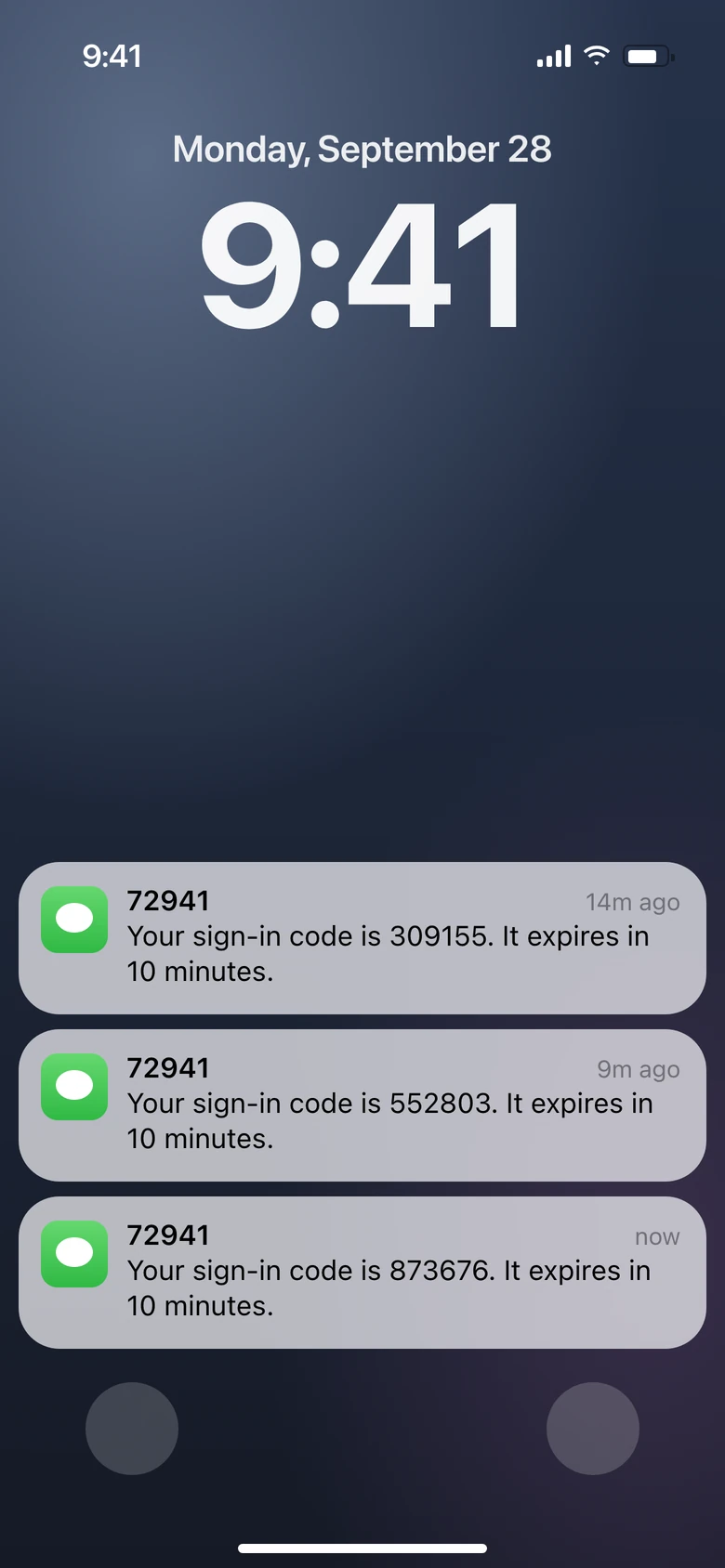
Older, expired codes sit above the fresh one; the newest is marked by its timestamp, not its position.
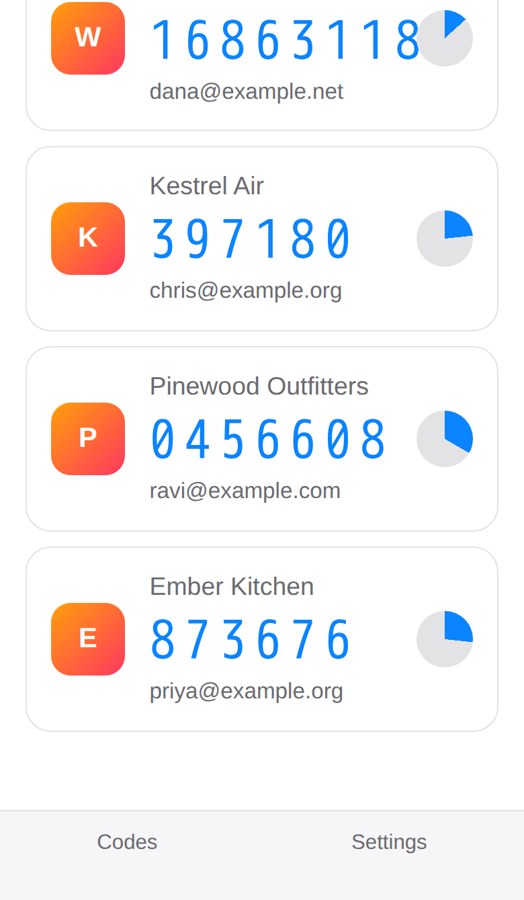
The original draft image has no timestamps. The reconstruction above illustrates the timestamp-based task described in this record.
Open full-size image (new tab): Original authenticator image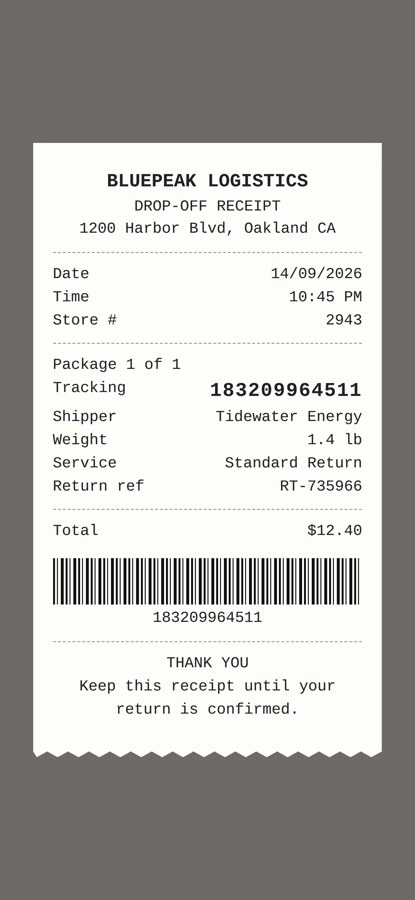
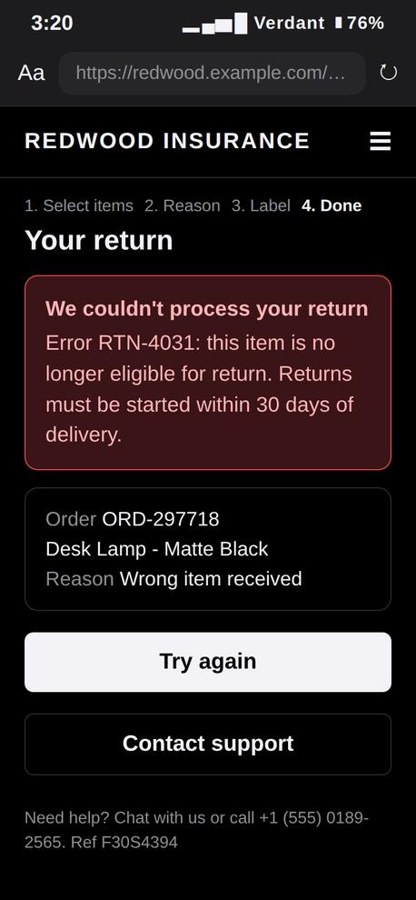
Catalogue photos with programmatic damage composited onto the item. Intact items are capped at 1.5× the damaged ones so the set does not teach a “No” prior.
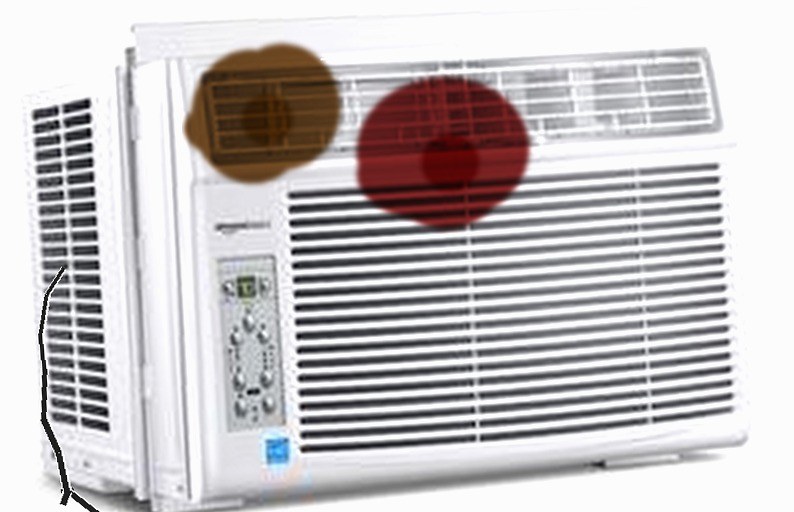
Kept at 14% of records so that open-ended description survives without becoming the default reply.
A support agent’s full system prompt (persona, policies, an image-handling rule) and tool schemas, prior turns, then an image. Targets are the frozen LLM’s own replies produced with a text stand-in for the image. The organisations are synthetic; the ones used for evaluation never appear in training.
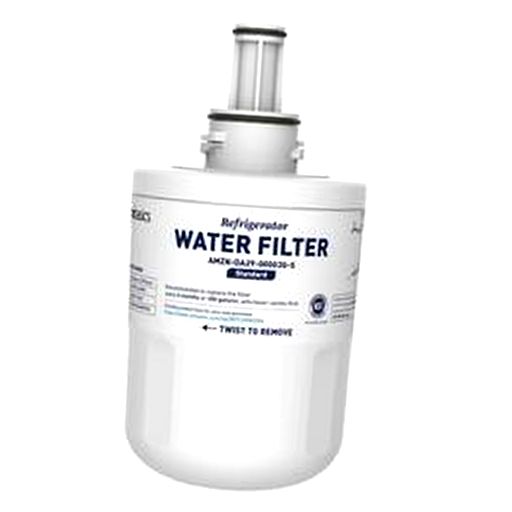
The image attached to the final user turn of the conversation below: a catalogue photo of an appliance water filter, standing in for “this is what arrived”.
Every evaluation set is disjoint from training: new images, new codes and new organisations. It covers the same five task classes as the training mix, at two distances from it: the 10% test split of every training set (same generators, new pixels), and production checks built with new organisations and codes, plus real-world-like conversations with synthetic stand-in images.
Three arms run on every set:
Judged metrics use an LLM judge that is blind to the arm.
The production checks are the ones the deployment cares about: does the agent acknowledge an image, never claim it cannot see images and never invent content, across relevant, irrelevant and blank images; does it read a one-time code exactly and pass it into the flow, across clean, cropped, photo-of-screen, multi-code and no-code screenshots in English and Spanish; and do the text turns that follow an image stay unchanged.
The code-extraction tiers, as held-out renders:




Three distractor codes appear in the same image.
Open full-size image (new tab): Multi-code
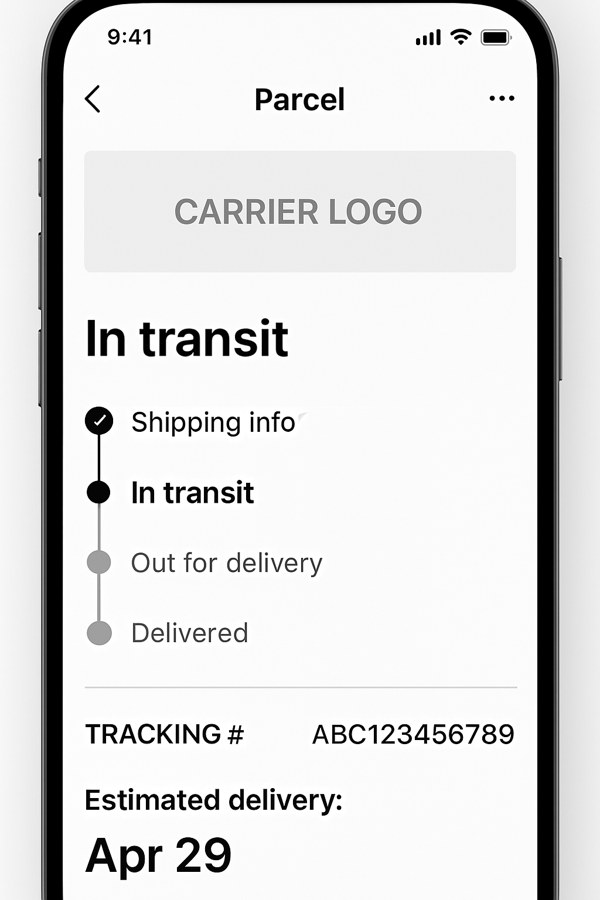
For the real-world-like conversations we never pull customer pixels. The customer’s photo is replaced by a scenario-matched synthetic stand-in (damaged item, wrong item, tracking screenshot, receipt, unrelated image; 60 stand-ins across 6 scenarios), while the real system prompt, tools and conversation are kept:
One table, by task class. Every number is on held-out data, and a reply counts as correct only if it contains the exact answer.
| Task class | What the held-out test asks | Our projector |
|---|---|---|
| A · Perception QA | is X in the picture, how many, which option; new images | 90% correct on presence and counting (96% on absent objects) · 82% correct on multiple choice |
| B · Reading text | read a one-time code out of a screenshot and pass it into the flow; read a field off a receipt or a portal page | 98–100% correct on clean, cropped and photo-of-screen code screenshots · 89% when several codes are shown · 0.8% false codes on screenshots with none · 96% Spanish / 98% English · 99.6% on receipt and portal fields |
| C · Product condition | is it damaged, what is wrong with it, what is it | 84% correct across all questions · 97% on intact items · 95% on naming the item |
| D · Description | describe the image, scored by a judge out of 100 | average judge score of 65 out of 100 |
| E · Agent conversations | acknowledge the image without denying or inventing; match the logged reply in real-world-like conversations; keep the later text turns unchanged | 91% acknowledged · 88% agreement in real-world-like conversations · 95% of later turns unchanged |
The production checks also ran on the generic projector we started from and on the frontier API model. On single-code screenshots our projector reads the code 98–100% of the time, against 86–88% for the generic projector and 71–80% for the frontier model. On screenshots with no code, our projector claims a code 0.8% of the time, the generic projector 44% and the frontier model 61%. On acknowledging an image without denying or inventing, our projector scores 91%, the generic projector 36% and the frontier model 86%. Almost half of the frontier model’s code misses are refusals to read a two-factor code at all.
If you want to give a frozen production LLM the ability to see, the training side is close to standardized by now: a frozen vision encoder, a small projector, two marker embeddings, and one epoch of cross-entropy on the assistant turns. What made the difference for us was not the architecture or the optimizer but the dataset. A projector learns what the model does when an image appears, so the mix has to be curated with the target tasks in mind: several questions per image, negatives everywhere, answer formats under control, conversational targets in the LLM’s own voice, and held-out sets built before the training set, so that you can tell whether the model generalizes to the tasks you actually care about. Get that right, and the rest is standard engineering.
In non-reasoning mode, GLM-5.2 was leaking its reasoning into the AI assistant’s response in about one conversation in a hundred.
New stories, in your inbox.
GET A PERSONALIZED DEMO
Giga's AI agents handle complex workflows at scale, from live delivery issues to compliance decisions, while maintaining over 90% resolution accuracy in production.
See a demo